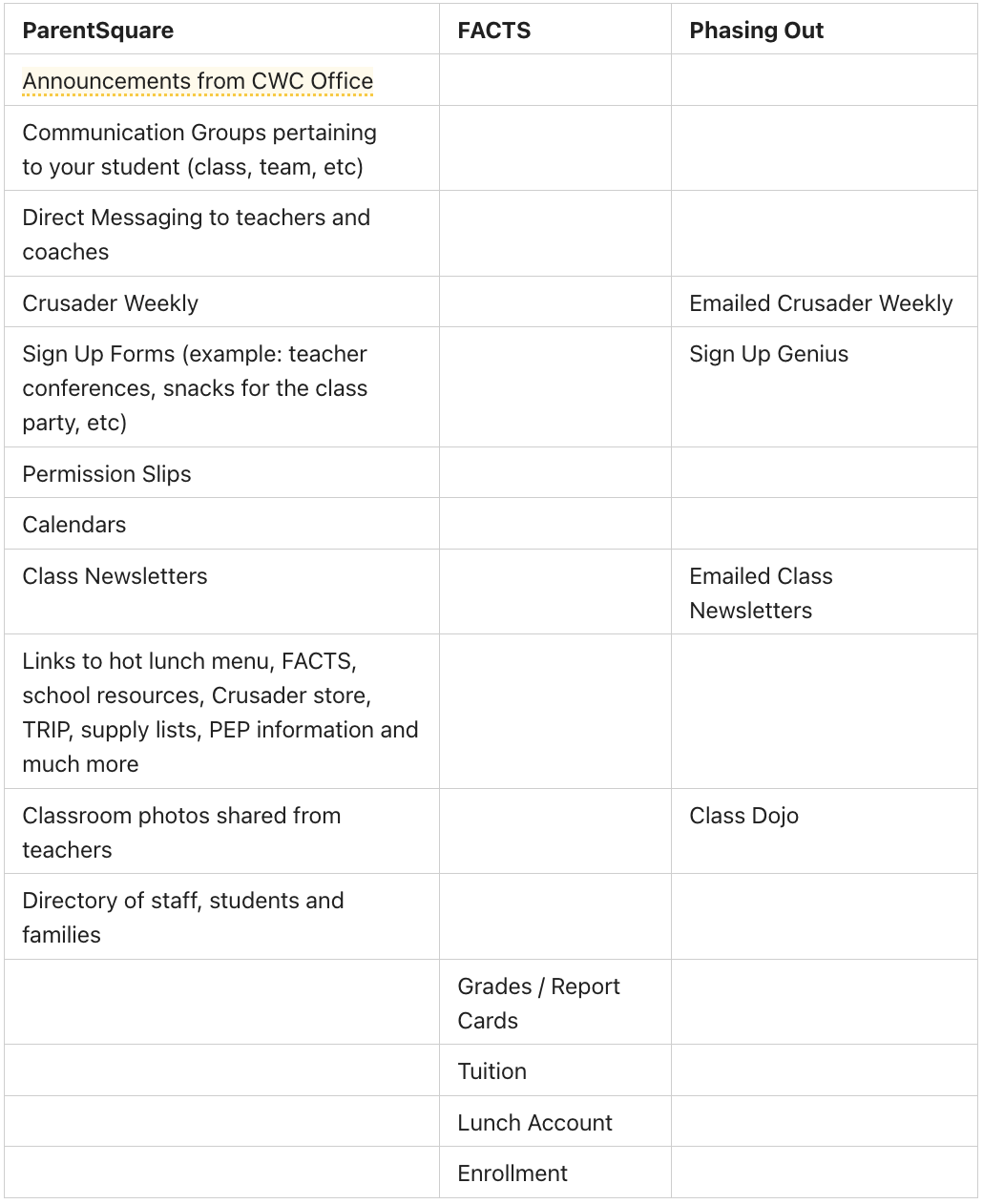



ParentSquare

We are moving to ParentSquare starting January 26th!
The new way to stay connected with CWC all in one app.
Use the email you use for school to
One Simple Platform. No More Missed Messages.
Until now, communicating with school has been a challenge. You are expected to communicate by email with some people, some by text, others through apps you had to download separately. With communication set up like this, it is easy to lose or completely miss important information.
So now we are making a change that will bring everything together so you don't have to worry about missing a thing.
But What Is ParentSquare?
ParentSquare is a new communication platform that will allow for more streamlined and consistent communication to our CWC community – parents, teachers, staff and wider community members. ParentSquare is available online and has a convenient mobile app. With ParentSquare, you can directly communicate with teachers, find school and classroom announcements in one convenient location and choose your notification preference (text/email/frequency).
- Centralized messages & alerts
- Calendar of events and updates
- Direct messages from teachers or staff
- Classroom newsletters and information
- Forms, permission slips, and RSVPs
- Accessible via web or mobile app
How to Get Started in Under 2 Minutes
- Look for your ParentSquare invitation in your email
- Click the link and set up your account
- Download the ParentSquare app (optional but recommended)
- Choose your preferred notification settings
Or, you can CLICK HERE to register using the email you use with CWC.
Not a parent of a CWC student? You can still join as a guest by filling out the form HERE.
You can also watch the video below to get you started with ParentSquare